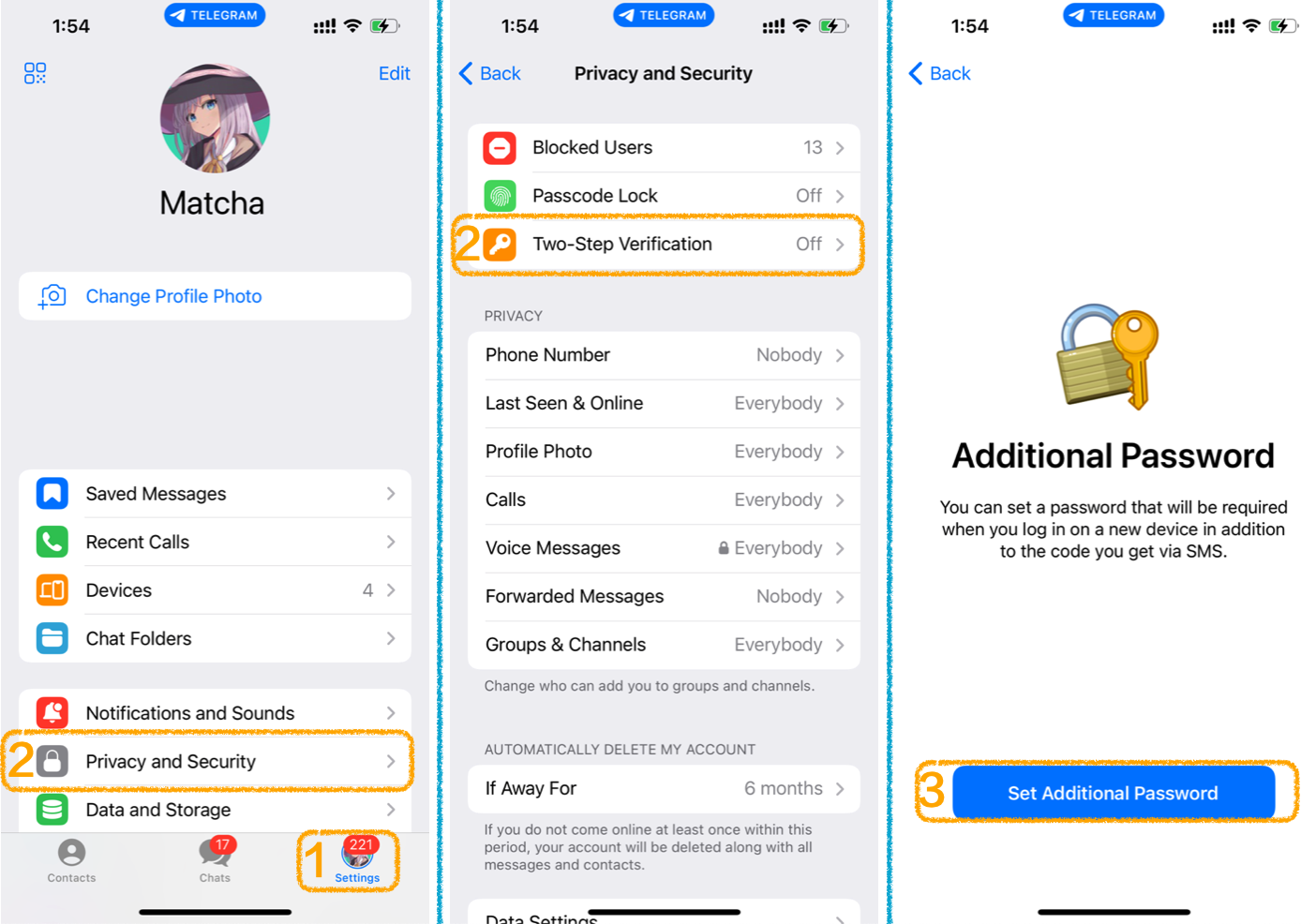
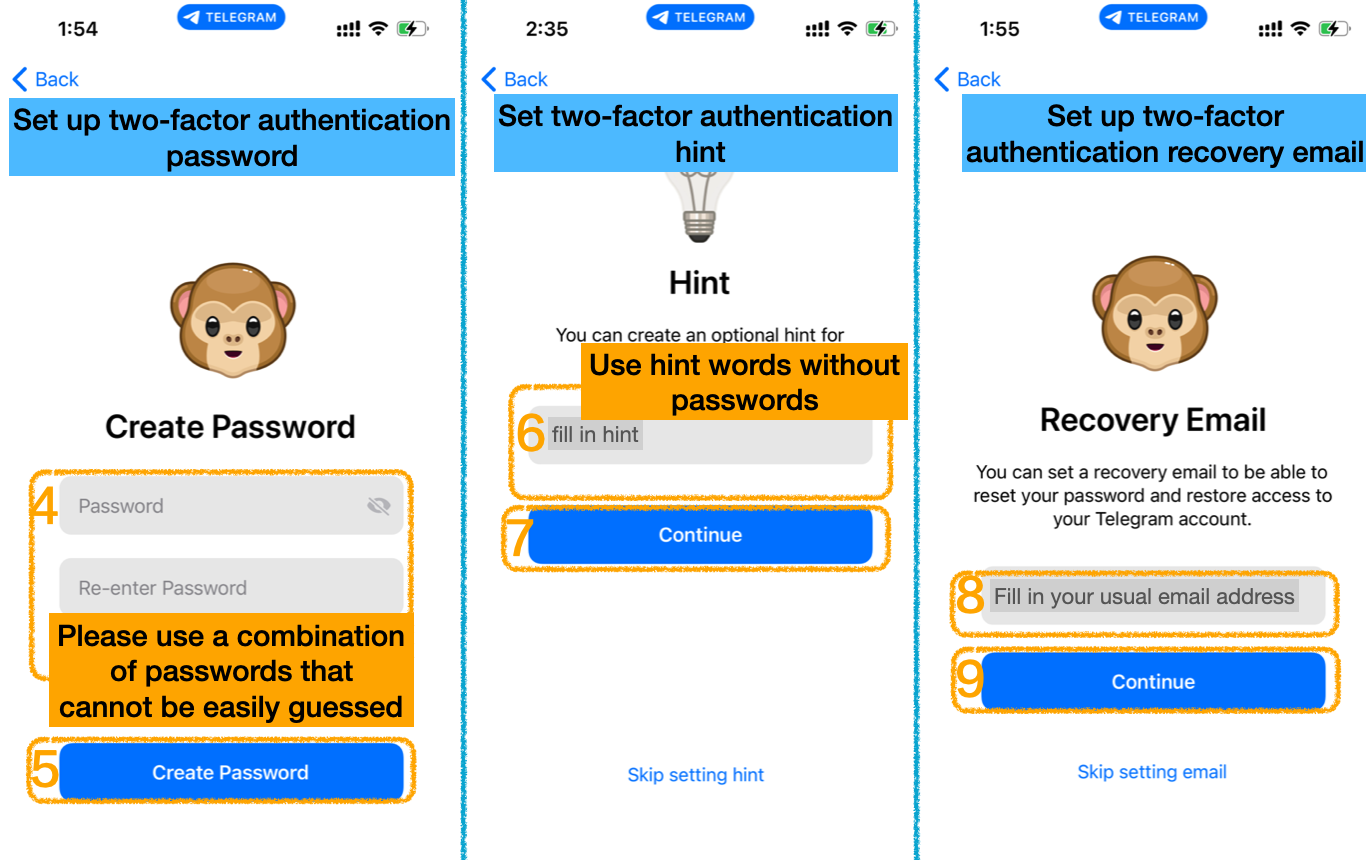
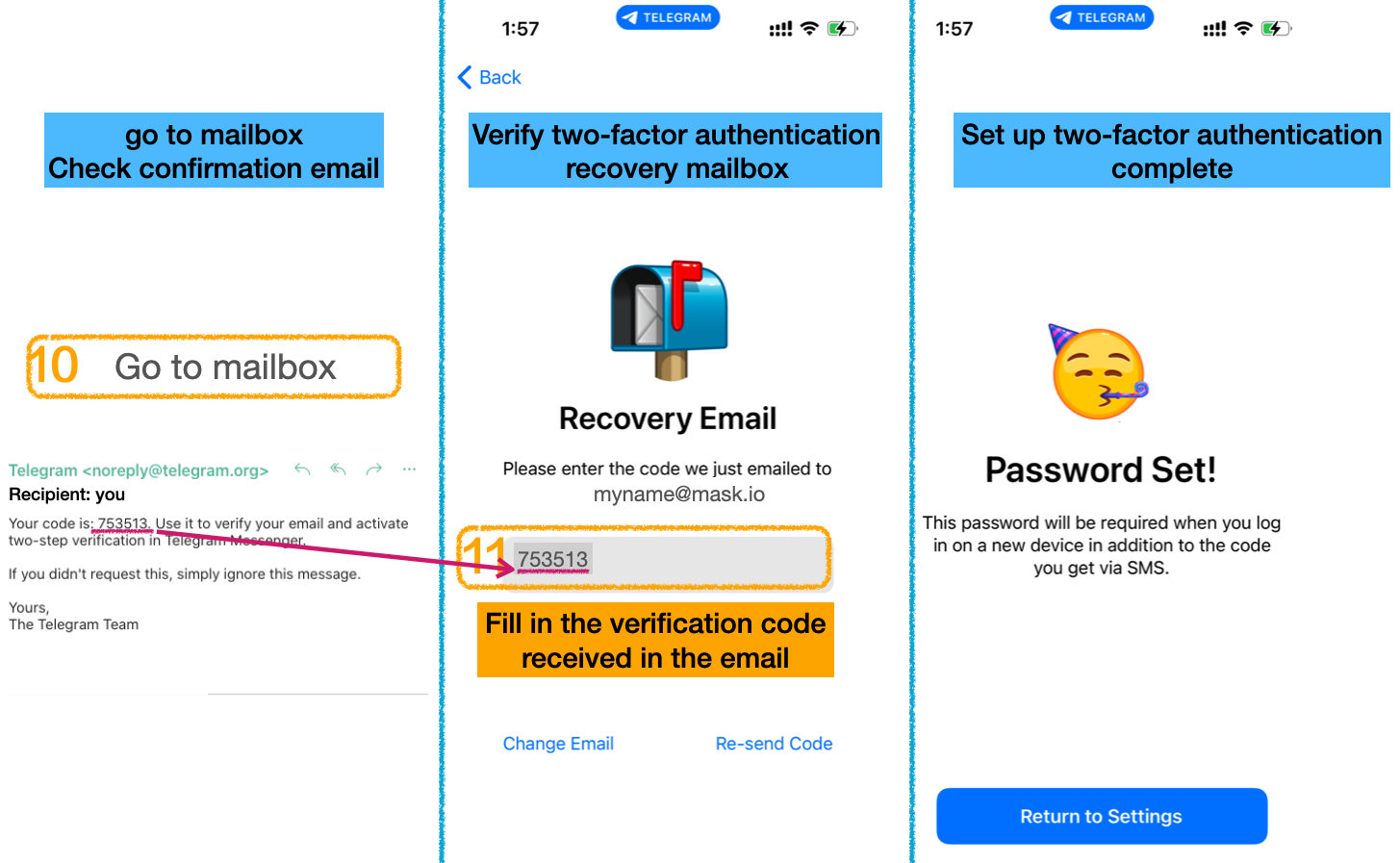
Attacks on Telegram accounts are currently on the rise. Some possible scenarios: · The login verification code of the account is guessed · A contact asks if you have sent some conversations and asks you to provide a screenshot of the chat history. · More possible scenarios...
- Turn on two-factor authentication 2FA (strong password) - Confirm online device Active Sessions
Please note: If you forget this password, you will not be able to access your messages from other devices. If you decide to enable 2-step verification, we recommend setting up a recovery email or at least a password hint.
Next you need to do: >> Turn off mobile phone number lookup function <<